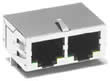

In order to simplify networking equipment via Ethernet, PreciseFlex Controllers contain two 100 Mbit Ethernet RJ45 connectors. Either of these ports can be utilized with either a straight-thru or a cross-over Ethernet cable to connect to other equipment.
Figure 17-35: Connector and Cable
Both of the ports are interfaced to a built-in 100 Mbit Ethernet Switch that auto detects the sense of each cable. If the two ports are connected to equipment that are communicating with each other but not the controller, the Ethernet switch automatically routes the traffic between the ports and does not send this information to the controller. For example, if an Ethernet camera is connected to one port and a PC is connected to the other port, the camera image data will not burden the controller's CPU.
See the Setup and Operation Quick Start Guide for instructions on setting the IP address for the controller.